



Wi-Fi Birth Certificate
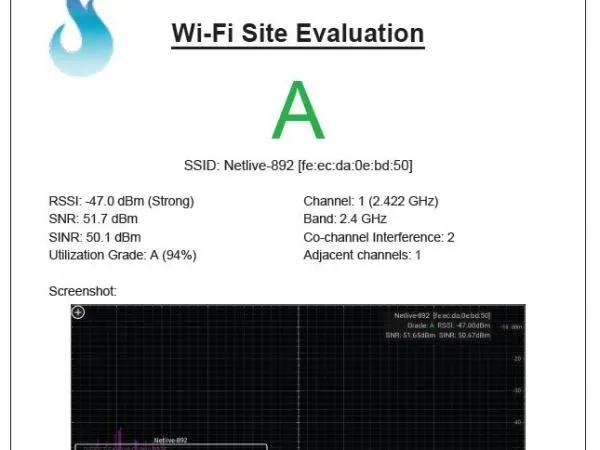
Ever needed to document the wireless environment? Maybe you’re looking to create a Wi-Fi Birth Certificate for a property or you’re looking to troubleshoot after installation. Either way, Oscium has added a way to document the health of the wireless environment. We call it: Wi-Fi Site Evaluation, and here’s how it works:
 Tap on the screen and select the SSID for evaluation.
- Then, go to the Measure menu button. At the bottom of the screen, you’ll see the Site Evaluation feature.
- Tap Generate Report. If it’s helpful, assign account and location details.
- Then, go to the Settings menu and tap Manage Files.
- The Wi-Fi Site Evaluation is located here. It’s possible to rename the file and then email it out.
In addition to the evaluation report, Oscium has also added some helpful metrics to the primary real wave screen including: amplitude metrics (dBm) and frequency, SSID grade, SNR, & SINR.
Subscribe for Updates
Enter your email to subscribe to our newsletter and receive updates.

About OSCIUM
At Oscium, we've spent over 16 years turning complex technology into tools that
work better for everyone.


©2026 OSCIUM. All Rights Reserved.